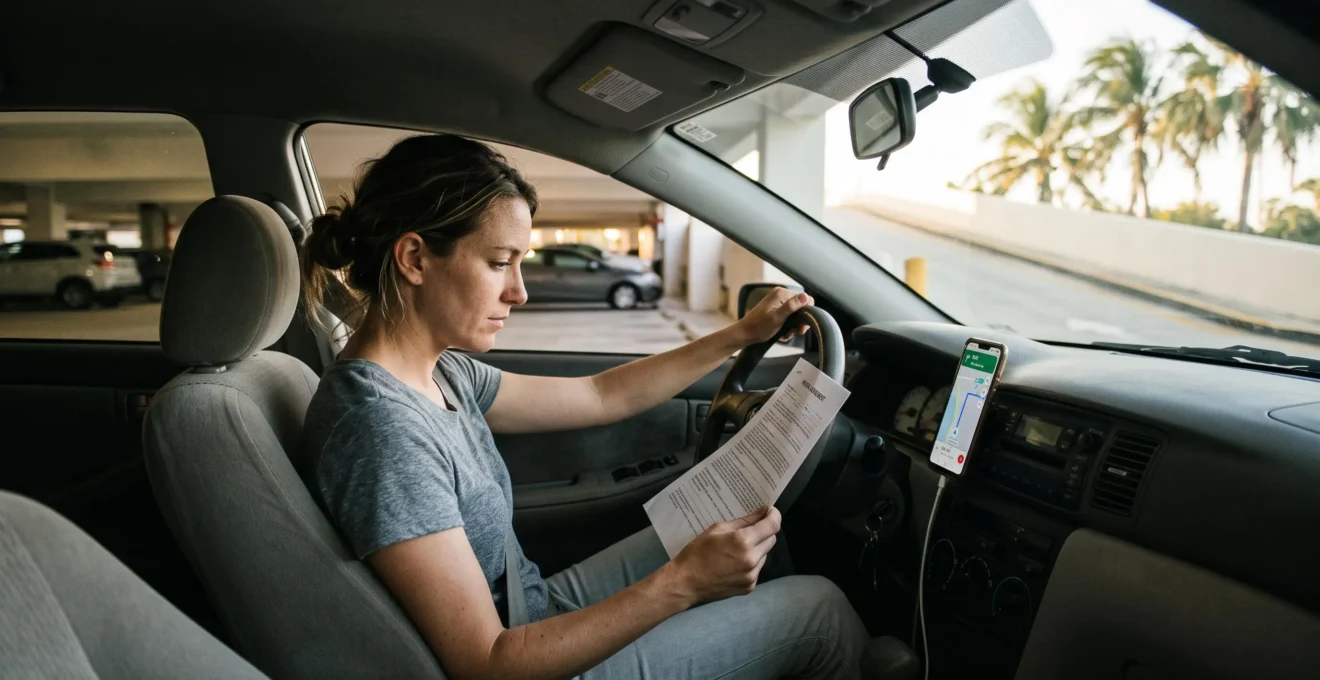
A Florida rental car trip becomes less stressful when essential decisions are made before they become urgent. Knowing the route, keeping rental documents accessible, identifying the correct assistance number, and understanding when to request another vehicle can prevent manageable disruptions from becoming overwhelming.
Florida presents a distinctive combination of driving conditions. Busy highways around Orlando, Miami, and Tampa contrast with quieter roads near the Everglades, rural Panhandle, and Big Bend region. Electronic toll systems, sudden heavy rain, unfamiliar vehicle controls, and long distances can make an otherwise straightforward journey feel unpredictable.
The objective is not to anticipate every possible problem. It is to establish a small number of reliable procedures that work even when the driver is tired, the phone loses reception, or a vehicle develops a fault. A practical emergency plan, dependable navigation, organized documentation, and realistic driving schedule provide that structure.
Florida Rental Car Trip: Essential Preparation
- Before departure, save emergency contacts, review rental coverage, and keep an offline copy of the agreement.
- Before driving, confirm navigation, toll arrangements, vehicle controls, and the first few highway exits.
- For unexpected problems, prioritize safety, contact the appropriate assistance provider, and document important decisions.
- Why Does Driving an Unfamiliar Rental Car Feel More Stressful?
- How to Create a Rental Car Emergency Contact Plan Before Departure?
- Roadside Assistance or Travel Assistance: Which Helps in Each Situation?
- Which Rental Documents Should You Keep Accessible During Your Trip?
- What Should You Prepare Before Driving Into Remote Florida Areas?
- How to Set Up Reliable Navigation Before Leaving a Florida Airport?
- When Should You Ask for a Replacement After a Rental Car Malfunction?
- How to Make Your Florida Arrival and Road Journey Less Exhausting?
Why Does Driving an Unfamiliar Rental Car Feel More Stressful?
Driving an unfamiliar rental car feels stressful because the driver must manage several unfamiliar tasks simultaneously: vehicle controls, navigation, lane positioning, and surrounding traffic. This additional mental workload leaves less attention available for anticipating road conditions. Stress can be especially noticeable during the first 30–60 minutes, when the vehicle and local driving environment are still unfamiliar.
Even experienced drivers need time to locate the windshield-wiper controls, understand braking sensitivity, adjust mirrors, and judge the car’s dimensions. At the same time, they must interpret road signs, follow navigation instructions, and respond to traffic.
Florida introduces several additional challenges:
- Busy metropolitan highways: Interchanges around Orlando, Miami, and Tampa may require drivers to anticipate lane changes well before an exit.
- Electronic toll roads: Toll collection arrangements may be unfamiliar, particularly to international visitors.
- Heavy rainfall: Sudden afternoon downpours during the wet season can reduce visibility and make road surfaces slippery.
- Different driving conventions: Speed limits, turning rules, highway signs, and right-of-way expectations may differ from those in a visitor’s home country.
Vehicle unfamiliarity and uncertainty about potential disruptions are separate sources of stress. The first generally becomes easier with experience. The second can be reduced before driving by knowing whom to call, what coverage applies, and which documents to produce.
There is also a feedback effect. A missed exit may lead to a rushed lane change; the resulting anxiety may make the next navigation instruction harder to process. Repeated corrections can undermine confidence even when the driver is otherwise capable.
A useful interruption is to choose a short, relatively simple first journey. Adjust the seat, mirrors, climate controls, and navigation while parked. If an exit is missed, continue safely and allow navigation to recalculate rather than making a sudden maneuver.
The vehicle will become more familiar with use, but uncertainty about incidents requires a different solution: a contact plan that remains accessible when something goes wrong.
How to Create a Rental Car Emergency Contact Plan Before Departure?
A rental car emergency contact plan should fit on one page and identify the appropriate service for breakdowns, accidents, insurance questions, and itinerary disruptions. Include the relevant telephone numbers, rental agreement reference, vehicle details, and a backup method of accessing the information without a working phone. Prepare it before the first drive.
Start with the rental agreement rather than relying only on the confirmation email. The reservations department, local rental counter, and roadside assistance provider may have different responsibilities. A booking agent may be able to explain reservation details without being authorized to arrange towing or approve a vehicle replacement.
Organize the contact sheet by purpose:
- Immediate danger: 911 for emergencies requiring police, fire, or medical services in the United States.
- Vehicle malfunction: The roadside assistance number specified in the rental agreement.
- Rental administration: The pickup branch or designated customer-support contact for vehicle exchanges and contract questions.
- Coverage and claims: The personal auto insurer, applicable credit card benefit administrator, or travel insurance assistance number.
- Itinerary disruption: Accommodation contacts and an emergency contact at home.
Beside each number, record what that contact is expected to handle. Mark whether roadside assistance must be contacted before arranging independent repairs or towing. These details help avoid calling the wrong department or authorizing expenses that may not be reimbursed.
Include the rental agreement number, pickup branch location, vehicle registration details if available, make and model, and starting mileage. During an incident, responders may also request the exact location, dashboard warning information, or a description of the problem.
Prepare for the loss of phone access. Save the document offline, keep a printed copy with the rental paperwork, and share essential travel details with a trusted person at home. Avoid leaving sensitive personal information unnecessarily exposed in the vehicle.
Five Actions to Complete Your Emergency Contact Plan
- Find the rental company’s roadside assistance contact and save it with the agreement number. Deliverable: one verified roadside assistance entry.
- Identify the branch or customer-support channel responsible for vehicle exchanges. Deliverable: one clearly labeled replacement-vehicle contact.
- Check relevant insurance, credit card, or membership assistance benefits. Deliverable: a short coverage and claims contact list.
- Save a phone-accessible offline copy and prepare a printed version. Deliverable: two independently accessible copies of the plan.
- Share essential trip details with a trusted contact and confirm where the paperwork is stored. Deliverable: one accessible backup itinerary.
Once the contact channels are identified, the next step is to understand what each assistance service can actually provide, including its contractual limits.
Roadside Assistance or Travel Assistance: Which Helps in Each Situation?
Roadside assistance primarily addresses problems involving the rental vehicle, such as a flat tire, dead battery, lockout, or towing requirement. Travel assistance generally focuses on the traveler and disruptions to the journey, potentially including medical coordination or alternative travel arrangements. However, neither service has universally guaranteed benefits: eligibility, costs, exclusions, and reimbursement depend on the applicable contract.
The distinction matters because a provider responsible for recovering a disabled vehicle may not pay for hotel accommodation or transportation while the rental is unavailable.
The Federal Trade Commission advice on renting a car recommends checking whether roadside assistance is included in the rental price, what an additional assistance fee covers, and whether existing insurance, credit card benefits, or automobile club memberships already provide similar protection.
Use the following scenario guide to identify the appropriate first contact. The payment column describes possible arrangements, not guaranteed benefits.
| Situation | Primary Contact | Who May Pay and What to Check |
|---|---|---|
| Mechanical breakdown on a highway | Rental company roadside assistance | Towing or dispatch may be included or billed separately. Check exclusions, distance limits, and replacement arrangements. |
| Flat tire in a parking lot | Rental roadside assistance or an eligible auto club | Service and tire damage may be treated differently. Confirm damage liability and any service charges. |
| Passenger medical emergency | 911 for an emergency; travel or medical assistance provider afterward | Medical and travel insurance conditions determine eligible expenses and reimbursement. |
| Hotel night lost because of a breakdown | Accommodation provider and relevant travel insurer | Reimbursement is not automatic. Check covered reasons, interruption benefits, and required evidence. |
| Vehicle unavailable after towing | Rental company replacement or fleet-support team | Vehicle availability, transport expenses, and any rental adjustments depend on the agreement and circumstances. |
Before purchasing an optional assistance plan, compare it with existing benefits. Credit cards, auto clubs, personal auto insurance, and travel insurance may overlap, yet still exclude important situations. For example, an assistance membership might arrange a tow while the rental contract separately determines responsibility for tire damage.
Ask whether the service covers dispatch, labor, towing, fuel delivery, and lockouts. Find out whether provider authorization is required before assistance is arranged and whether the benefit applies to rental vehicles in Florida.
A breakdown may also interrupt the trip after the car has been moved. Confirm where the vehicle would be towed, how a replacement would be arranged, and whether the provider offers transport to the branch. Do not assume that roadside coverage includes a free replacement car or accommodation.
Hypothetical Scenario: A Flat Tire Far From the Hotel
A family discovers a flat tire in a parking lot outside a small Florida town. Their rental roadside program arranges assistance, but the agreement does not establish whether the damaged tire itself is covered.
The family contacts the authorized provider before approving work, records the incident reference, and asks whether the vehicle remains suitable for travel. The example illustrates why assistance dispatch and financial liability must be treated as separate questions.
Even with appropriate coverage, a claim or service request may depend on the records available at the time. Keeping rental documentation organized is therefore an important part of emergency preparation.
Which Rental Documents Should You Keep Accessible During Your Trip?
Keep the rental agreement, driver’s license, and applicable proof of vehicle coverage readily accessible throughout the journey. Separately preserve pickup-condition photographs, fuel and mileage records, receipts, and incident-related invoices. A combination of offline digital copies and physical paperwork reduces the risk of being unable to produce important information during a traffic stop, breakdown, or billing dispute.
The rental agreement is particularly important because it identifies contractual conditions, authorized drivers, selected coverage, and relevant assistance procedures. A reservation confirmation alone may not contain the final terms accepted at pickup.
Organize documents into three functional categories:
| Purpose | Documents to Keep | When They Matter |
|---|---|---|
| Driving and roadside incidents | Driver’s license, rental agreement, applicable vehicle registration and insurance information | Traffic stops, accidents, assistance requests, and confirmation of authorized drivers |
| Vehicle condition and billing disputes | Pickup inspection record, dated photographs, fuel and mileage records, return receipt | Questions about damage, fuel charges, mileage, or vehicle condition |
| Insurance and reimbursement | Final rental invoice, toll records, roadside invoices, incident reports, claim references | Expense reviews, insurance claims, and payment disputes |
Use the documents actually supplied by the rental company. Vehicle registration or insurance evidence may be provided in the car or through the operator’s documentation system. Confirm where these records are located rather than assuming a particular paper format is required in every circumstance.
Digital screenshots and photographs offer quick access, but a dead battery or lack of signal can make cloud-only documents inaccessible. Photograph every page of the completed rental agreement and damage inspection sheet, then store the files offline. Carry the essential driving paperwork in a secure, accessible location.
At pickup, capture clear photographs of all exterior panels, wheels, windshield, roof, and interior. Record existing scratches or damage on the rental company’s inspection report where applicable. If possible, take wider photographs that establish which part of the vehicle is being documented.
Repeat the process at return, including the fuel gauge, odometer, and parking location. Keep the final receipt and any confirmation of the vehicle’s condition. Timestamped images provide useful evidence, although they do not guarantee that a damage dispute will be resolved immediately or in the renter’s favor.
Review any claim or charge against the documented condition and contractual terms. A record created at pickup is generally more useful than relying on memory several days later.
This system becomes particularly valuable outside major cities, where accessing cloud files or reaching the rental branch may be more difficult.
What Should You Prepare Before Driving Into Remote Florida Areas?
Before driving into remote Florida areas, check fuel availability, weather conditions, cellular coverage, and the route back to reliable services. Carry water, download offline maps, charge your phone, and inspect the vehicle’s tire equipment. Preparation is especially important in areas where the nearest staffed facility or roadside provider may be far from the planned stopping point.
Some visitors underestimate the planning required around Big Cypress, the Everglades, parts of the Panhandle, the Big Bend region, and large forest areas. These destinations vary considerably, but certain routes involve long distances between convenient services and less dependable cellular reception.
The National Park Service specifically warns about limited cellular coverage in Everglades National Park. Its information on Everglades entrances and visitor centers also explains that the park’s main entrance areas are not connected by internal roads. Travelers should download maps and check current park alerts before arrival.
For remote road travel, choose a fuel reserve threshold before leaving a populated area. For example, a traveler might decide to refuel before the gauge reaches half a tank when services ahead are uncertain. This is a conservative planning choice rather than an official Florida requirement.
Carry drinking water for everyone in the vehicle, a working charging cable, and basic supplies appropriate for the journey. Before departure, identify whether the rental has a spare tire, a tire-inflation kit, or another manufacturer-provided solution. Do not assume a spare tire is included.
Florida heat adds another consideration. Waiting for assistance in an exposed area can become uncomfortable or dangerous, particularly for children, older travelers, and people sensitive to high temperatures. Insects may further complicate an extended roadside delay.
During the wetter months, thunderstorms can develop and sharply reduce visibility. Where practical, schedule remote travel earlier in the day and allow sufficient time to return before darkness. This is a planning precaution, not a guarantee that morning conditions will be safer.
Check forecasts and local road alerts before leaving. Identify established roads, visitor centers, populated areas, and other potential places to seek help. Do not drive onto unpaved or restricted roads without confirming that the rental agreement and vehicle are suitable for those conditions.
Adapt the emergency contact plan for low-signal travel. Tell a trusted person the intended route and expected return window. If communication becomes impossible after a breakdown, prioritize a safe location, remain with the vehicle when appropriate, and avoid walking long distances in heat or hazardous conditions. If occupants are in immediate danger, seek emergency assistance by any available means.
Longer towing distances and limited local provider availability can affect recovery arrangements. Ask the rental company’s assistance department how incidents outside major service areas are handled rather than assuming the same support options exist everywhere.
Reliable navigation is equally important for metropolitan driving, especially immediately after collecting a rental car at a Florida airport.
How to Set Up Reliable Navigation Before Leaving a Florida Airport?
Set up navigation while the rental car is parked at the airport. Enter and verify the destination, review the first highway exits, download offline maps, connect the phone to power, and test spoken directions. Before moving, confirm the vehicle’s essential controls and toll-payment arrangements. These steps reduce distractions when entering unfamiliar traffic.
Airport exits are particularly demanding because drivers must interpret road signs while adjusting to a new vehicle and navigating multiple connecting lanes. A route that looks straightforward on a map may include several closely spaced ramps immediately after the rental facility.
Review the first five to ten minutes of the trip before leaving the garage. Identify the initial exit road, any important lane split, and the correct direction toward the destination. If possible, avoid choosing a route that requires repeated complex maneuvers immediately after pickup.
A practical navigation setup includes:
- Enter the complete destination address and confirm the correct city, ZIP code, and property location.
- Review the route and download offline map coverage for the relevant driving corridor.
- Secure the phone in a suitable mount without obstructing visibility or vehicle controls.
- Connect a charging cable and verify that audio instructions can be heard clearly.
- Identify the headlights, wipers, turn signals, hazard lights, and fuel-filler location before departure.
For many travelers, an updated smartphone navigation application with offline maps provides a practical combination of current routing information and backup access. Built-in vehicle navigation may also be useful, but its map updates, available features, and offline capabilities depend on the specific system.
Florida toll arrangements deserve a separate check. Toll roads may use electronic transponders or license-plate-based collection. Rental companies can provide different payment programs and charge additional administrative or processing fees.
According to Florida’s Turnpike information for rental vehicles, rental companies have different toll-payment arrangements, and customers should check the applicable fees and agreement conditions. TOLL-BY-PLATE invoices are directed to the vehicle’s registered owner rather than directly to the rental driver.
Some travelers may be able to use a compatible personal SunPass transponder, subject to the correct account setup and rental conditions. Others may use the rental company’s toll program. Verify the vehicle’s equipment and instructions before entering a toll road to avoid unintended charges or duplicate billing.
Navigation applications commonly offer an option to avoid tolls, but this setting should not be treated as an absolute guarantee that every suggested or subsequently driven road will be toll-free. Review the route and follow current road signs.
Once the first route is settled, the remaining uncertainty concerns how the vehicle itself will perform and what to do if a mechanical issue interrupts the journey.
When Should You Ask for a Replacement After a Rental Car Malfunction?
Ask for a replacement rental car when a malfunction affects safe operation, reliable braking, steering, engine performance, or the ability to complete the journey. Serious warning lights, overheating, damaged tires, unusual braking behavior, and transmission problems require prompt attention. Stop in a safe location and contact the rental company’s designated assistance service rather than continuing to drive an unsafe vehicle.
Not every inconvenience requires a replacement. A minor cosmetic issue or nonessential feature malfunction may be manageable, depending on its severity and the rental company’s instructions. However, problems involving vehicle control or stopping capability should not be treated as temporary annoyances.
Use a simple decision framework:
| Observed Problem | Immediate Response | Replacement Consideration |
|---|---|---|
| Minor cosmetic defect with no safety effect | Document and report if not already recorded | Usually a service or condition question rather than an urgent swap |
| Nonessential equipment malfunction | Contact the rental provider for guidance | Consider a swap if the issue materially affects agreed vehicle use |
| Brake, steering, or tire safety problem | Stop safely and request assistance | Vehicle should not be driven again until its safety is established |
| Overheating or serious engine warning | Pull over safely, stop operation as appropriate, and call assistance | Ask for recovery and replacement options |
| Transmission slipping or unexpected loss of power | Stop in a safe location and contact assistance | Request a safety assessment and an alternative vehicle if needed |
On a busy highway, personal safety comes before documentation. If the vehicle can be moved safely, reach an appropriate stopping place away from moving traffic. If it cannot be moved, use hazard lights where appropriate and follow emergency responder instructions. Call 911 when there is immediate danger.
After reaching safety, photograph relevant dashboard warnings and visible damage. Record the time, location, odometer reading, and symptoms. Contact the roadside provider or rental location identified in the agreement.
Avoid arranging independent towing or repairs unless the rental company authorizes them or urgent safety circumstances require otherwise. Unauthorized work can complicate reimbursement or contractual responsibility. If third-party services are approved, keep invoices and written authorization.
Replacement procedures vary. The company may direct the renter to a nearby branch, arrange towing and a vehicle exchange, or authorize continued use after an appropriate assessment. Fleet availability and operational arrangements may affect timing and vehicle choice.
During the call, ask where the vehicle should go, whether transportation will be provided, what expenses are authorized, and what happens if no replacement is immediately available. Record the service reference number, representative’s name, instructions, and any estimated next step.
Hypothetical Scenario: An Engine Warning Away From the Pickup Branch
A traveler notices a serious engine warning while driving between Florida cities. After reaching a safe stopping place, the traveler contacts the designated roadside assistance service, provides the rental agreement number, and documents the dashboard message.
The service provider must then determine the appropriate recovery or replacement process under the rental agreement. The traveler asks for the next steps in writing and retains the reference number. This approach creates a clear record without assuming that a free replacement, immediate swap, or particular reimbursement is guaranteed.
Technical preparation and incident procedures are most effective when drivers also manage fatigue, particularly after a long flight or during an extended Florida road journey.
Key Takeaways Before Your First Drive
- Choose the first day’s driving distance according to actual alertness, not simply the itinerary originally booked.
- Keep demanding routes flexible so a delayed flight or rental-counter queue does not force a rushed departure.
- Make important decisions while rested and parked; the contact plan, documents, and route should already be available when travel begins.
How to Make Your Florida Arrival and Road Journey Less Exhausting?
Make arrival day less exhausting by limiting unnecessary decisions, keeping the initial drive manageable, and allowing time for delays and rest. Flight fatigue, time-zone changes, airport procedures, and unfamiliar driving conditions can combine to reduce alertness. A simple arrival itinerary, prepared navigation, and realistic stopping plan make the journey easier to manage without depending on perfect travel conditions.
Long flights and connections can leave travelers tired before they reach the rental counter. Waiting for luggage, completing paperwork, inspecting the vehicle, and understanding unfamiliar controls require further attention. International visitors may also be adjusting to a different time zone.
For that reason, the first day’s itinerary should prioritize essential travel rather than ambitious sightseeing. Decide before arrival whether to drive directly to accommodation or make a necessary grocery or meal stop. Where practical, select lodging that avoids a long or complicated initial journey.
Do not assume that an overnight flight or late arrival leaves enough energy for several additional hours of highway driving. A delayed flight may justify changing the driving plan or arranging accommodation closer to the airport.
Fatigue can also build during longer journeys between Orlando, Miami, Tampa, and destinations in the Panhandle. Plan rest opportunities before becoming excessively tired, and share the driving between properly authorized drivers when possible.
Watch for warning signs such as repeated yawning, difficulty concentrating, drifting within a lane, missing signs or exits, and trouble remembering the last stretch of road. These symptoms call for a safe stop rather than an attempt to push through.
The National Highway Traffic Safety Administration’s information on drowsy driving emphasizes adequate sleep before long journeys. It also identifies overnight and late-afternoon periods as important fatigue-risk windows and warns that caffeine alone cannot reliably overcome serious sleep deprivation.
644 deaths
The National Highway Traffic Safety Administration reports 644 deaths in drowsy-driving-related crashes across the United States in 2024. This national figure is not specific to Florida or rental vehicles, and fatigue-related crash involvement can be difficult to identify completely.
National Highway Traffic Safety Administration, Drowsy Driving, 2024 fatality data.
When drowsiness develops, stop at a safe location. A short nap may offer temporary improvement, but it is not a substitute for adequate sleep. If the driver remains significantly impaired by fatigue, postpone driving or arrange another safe transportation option.
A predictable arrival routine can be simple: confirm the driver is alert, review the route, verify toll arrangements, secure essential documents, check the fuel level, and leave only when ready. A missed exit, unexpected queue, or change in plans then becomes a manageable adjustment rather than another urgent decision.
Combining the emergency contact sheet, document records, navigation setup, and vehicle-replacement criteria also reduces the need to improvise if the day does not go as expected.
Before collecting the vehicle, complete the contact sheet, save the agreement offline, verify the route, and choose a realistic first stop. Leave room to adjust the schedule if travel conditions or alertness change. Predictability comes from having safe alternatives available, not from expecting every part of the journey to go exactly as planned.
What should you do if you miss a highway exit in a Florida rental car?
Continue driving safely and follow the navigation system’s recalculated route. Do not brake suddenly, reverse, cross solid lane markings, or make an unsafe last-minute lane change to reach an exit. If the new route becomes confusing, stop at a suitable safe location before reviewing the directions.
What happens if your phone loses signal while navigating in Florida?
Previously downloaded offline maps may continue providing navigation when cellular service is unavailable, depending on the application and downloaded coverage. Live traffic updates and certain search functions may not work. Save the complete route before departure, keep the phone charged, and identify important road numbers and destinations in advance.
Can a credit card automatically cover every rental car emergency?
No. Credit card rental benefits vary by issuer, card, payment method, location, and policy conditions. Damage protection, roadside dispatch, personal medical coverage, and travel interruption benefits are different services. Review the applicable benefit guide and confirm eligibility before relying on a card during the trip.
Should you keep rental car paperwork after returning the vehicle?
Yes. Retain the final agreement, return receipt, vehicle-condition photographs, fuel records, toll charges, and any incident-related correspondence until the final charges have been reviewed and potential disputes or claims are resolved. The appropriate retention period depends on the agreement, applicable claim deadlines, and any ongoing issue.
Is it better to avoid driving immediately after a late-night flight to Florida?
If the driver is significantly fatigued, postponing the drive or arranging alternative transportation is safer than continuing simply to meet an itinerary. Late-night travel can coincide with reduced alertness, especially after a long flight or time-zone change. Choosing nearby accommodation and driving after adequate rest may be a more manageable option.