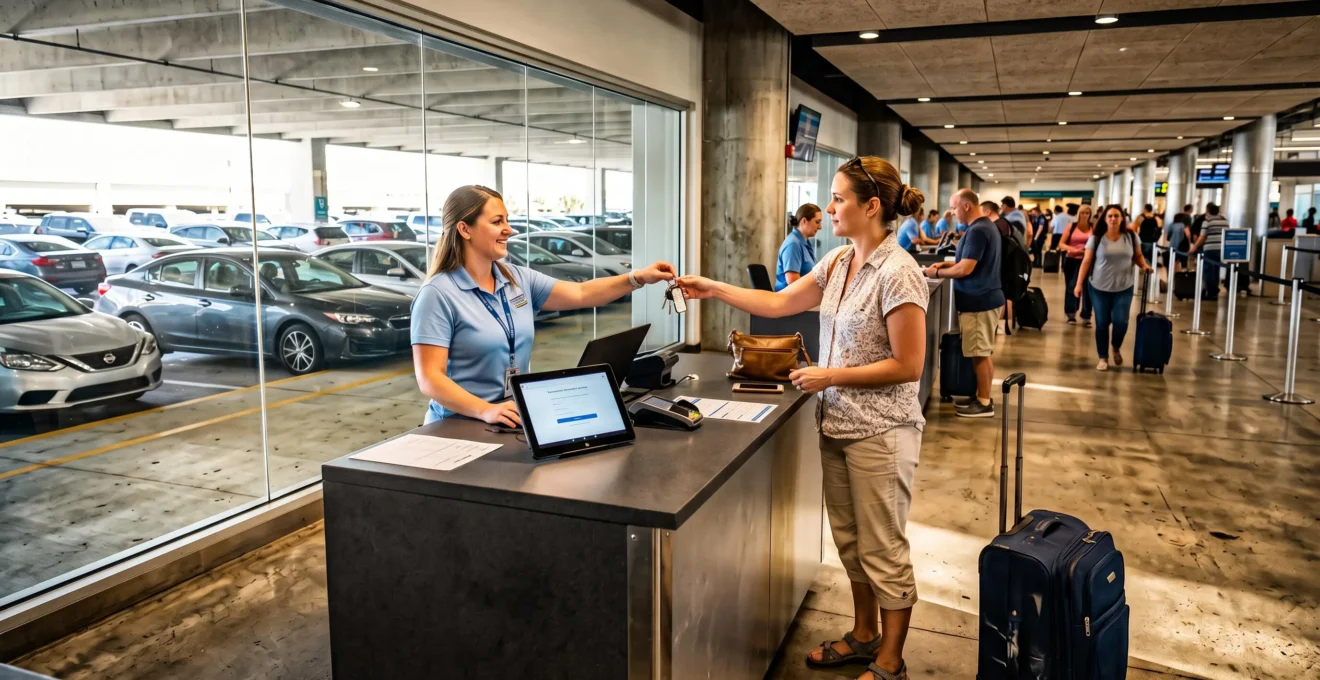
Picking up a rental car at a Florida airport is faster when you know exactly where to go after baggage claim, whether your agency requires a shuttle, and which documents must be ready at the counter. The most important preparation happens before landing: confirm your terminal, rental location, operating hours, and reservation requirements.
At major airports such as Orlando International Airport (MCO) and Miami International Airport (MIA), rental car facilities follow different layouts. Some operators have counters and vehicles connected to airport terminals, while others require a train, shuttle, or additional transfer. Following a generic rental car sign without checking your specific agency can lead to an unnecessary detour.
Efficient pickup also depends on what happens after reaching the desk. Payment authorization, driver verification, vehicle inspection, and departure procedures can all affect when you actually reach the road. A practical arrival plan should cover the entire journey from the aircraft to the airport exit, not simply the rental reservation time.
Florida airport rental pickup: the essentials
- Check your airport’s official rental directory and your agency’s instructions before landing. Terminal-based rentals and off-airport shuttle services use different pickup points.
- Keep your driver’s license, accepted payment card, reservation confirmation, and flight details accessible. Verify late-arrival arrangements directly with the operator.
- Allow time for baggage collection, transportation, counter processing, vehicle inspection, and navigation setup before scheduling your first commitment.
- Why Are Some Airport Rental Desks Far From the Arrival Terminal?
- How to Find Rental Car Pickup After Landing at Orlando International Airport?
- On-Airport or Off-Airport Rental: Which Saves More Time in Miami?
- What Happens to Your Airport Car Reservation if Your Flight Arrives Late?
- How Early Should You Return a Rental Car Before a Florida Airport Flight?
- How to Prepare Your License and Reservation Details for Rental Pickup?
- What Should You Check When Collecting a Rental Car in Florida?
- How to Organize Your First Hour After Landing in Florida?
Why Are Some Airport Rental Desks Far From the Arrival Terminal?
Airport rental desks can be far from arrival terminals because airports organize rental operations around available space, traffic circulation, and commercial arrangements. Travelers typically encounter terminal-based counters, centralized rental facilities, or independent off-airport lots. The distance matters because reaching a desk may require walking, using airport transportation, or waiting for an agency-operated shuttle.
Three common configurations determine how pickup works:
- Terminal-associated rentals: The counter and vehicle collection area are located within or near terminal facilities. Travelers generally follow airport signs to the appropriate rental desk and parking level.
- Consolidated rental centers: Multiple operators share a dedicated facility connected to passenger terminals by a train, shuttle, or other airport transport system.
- Off-airport rental lots: Independent or separately located operators may provide pickup transportation to facilities beyond the airport’s main rental areas.
Available airport land, roadway capacity, concession agreements, and operating costs influence these arrangements. Off-airport businesses may avoid some airport facility expenses, potentially enabling competitive rates. However, a cheaper quoted price does not establish that pickup will be faster or that the total rental cost will be lower.
Before booking, check the airport’s official ground transportation information. Identify the actual pickup stop, whether transportation is included, and whether your arrival terminal affects the instructions. Airport signs may show the direction of a shuttle stop without indicating how long the shuttle will take to arrive.
For example, a traveler arriving internationally may leave through a different terminal or designated exit from someone flying domestically. Even when both reserve the same rental brand, their routes to the pickup point may differ.
The useful comparison is arrival exit to vehicle departure, not just the distance between the terminal and the rental counter. Include luggage handling, transportation waits, and the final trip to the vehicle lot.
Once the facility type is clear, the next step is checking the terminal-specific directions. Orlando is a useful example because its airport distinguishes terminal-associated rental operations from off-airport shuttle pickups.
How to Find Rental Car Pickup After Landing at Orlando International Airport?
At Orlando International Airport (MCO), finding your rental car depends on your arrival terminal and rental company. Many on-airport agencies use terminal-associated counters and parking facilities, so a shuttle is not automatically necessary. Off-airport agencies use designated ground transportation pickup points. Check your reservation before following signs to the rental car area.
The Orlando International Airport’s official rental car directory identifies agency-specific vehicle collection locations and designated off-airport shuttle stops. It distinguishes Terminals A and B from Terminal C, making it especially important to confirm which terminal your flight uses.
Follow this sequence after landing:
- Confirm your arrival terminal. Identify whether you arrived at Terminal A, B, or C, then follow signs toward baggage claim or the applicable passenger exit.
- Collect checked baggage. Keep your booking confirmation available so you can verify the operator’s location before leaving the terminal.
- Locate the rental service. For an on-airport booking, follow directions to your company’s counter and assigned parking facility. For an off-airport booking, proceed to the designated shuttle pickup area.
- Complete check-in. Present the required documents or follow the operator’s authorized mobile or self-service pickup procedure.
- Collect and inspect the vehicle. Confirm the assigned parking level, examine the vehicle, and follow the agency’s exit instructions.
According to the airport directory, Alamo, Enterprise, and National vehicle pickups are listed on Level R1 at Terminals A and B, and Parking C1 at Terminal C. Avis, Budget, Dollar, Hertz, Payless, and Thrifty are listed on Level R2 at A and B, and Parking C2 at Terminal C. Sixt is listed on Level P1 at A and B, and Parking C1 at Terminal C. These are vehicle pickup locations, not necessarily the rental counter locations.
For off-airport rentals, the airport identifies shuttle pickup spaces A11–A13 at Terminal A, B60–B62 at Terminal B, and C277–C278 at Terminal C, all on Level 1. Train Station Level 1, spaces C3–C4, is another listed off-airport rental shuttle pickup location. Check which stop your agency actually serves rather than choosing one based solely on proximity.
To estimate your transfer time, combine the operator’s stated shuttle interval, expected waiting time, driving time, and any additional counter processing. The airport directory does not establish shuttle frequencies or journey durations. An operator’s late-evening service may differ from daytime service, so confirm the actual schedule instead of assuming a constant interval.
International arrivals require an additional allowance for immigration, customs, and baggage release. The time needed can vary substantially, and your departure point from the controlled arrivals area may change the route to ground transportation.
Orlando’s arrangements illustrate why facility location must be verified operator by operator. Miami uses a different centralized access system, which changes the comparison between airport-based and off-site rentals.
On-Airport or Off-Airport Rental: Which Saves More Time in Miami?
At Miami International Airport (MIA), a rental company inside the Rental Car Center generally avoids the additional off-site transfer required by operators located elsewhere. However, an on-airport booking is not automatically faster: counter queues, check-in arrangements, and your arrival hour also matter. Compare the full journey to the vehicle, including the return process before departure.
According to Miami International Airport’s rental car information page, passengers reach the Rental Car Center by using the MIA Mover. Its station is on Level 3 between the Dolphin and Flamingo parking garages, accessible via the Level 3 Skyride moving walkways.
The Rental Car Center is located at 3900 NW 25th Street, Miami, FL 33142. It accommodates multiple rental operators, while other companies operate from separate locations near the airport.
The following comparison highlights the factors that affect pickup and departure timing.
| Decision factor | Rental Car Center operator | Off-airport operator |
|---|---|---|
| Arrival-to-keys process | MIA Mover, counter or approved express check-in, then vehicle collection | MIA Mover and potentially an additional pickup transfer, followed by check-in |
| Transportation dependency | Airport-operated connection to the Rental Car Center | Operator-specific transfer service, which may add waiting time |
| Counter queues | Depends on the agency, arrival volume, and express pickup eligibility | Depends on staffing, reservation volume, and check-in arrangements |
| Departure-day return | Return to the designated facility and use the airport connection | Return to the off-site lot and arrange transportation back to the airport |
Consider two hypothetical travel scenarios. A solo traveler arriving on a weekday around noon may find an off-airport offer acceptable if pickup transport is frequent and check-in is efficient. A family arriving at 11 p.m. with several bags may prefer fewer transfers, particularly if the alternative operator has reduced staffing or a limited pickup service.
Neither scenario establishes a universal winner. The decisive factors are actual transfer availability, queue conditions, and your reservation’s pickup procedure.
MIA states that its Rental Car Center operates 24 hours a day but also warns that some rental operators close between 11 p.m. and 5 a.m. Facility availability therefore does not guarantee that an individual agency will be staffed when you arrive.
The counter queue can also outweigh the transportation difference. Some rental companies offer prepaid, loyalty-program, or digital check-in arrangements, but skipping the desk is possible only when the specific location and booking qualify.
Return logistics deserve equal attention. An off-airport location may require extra driving, refueling, unloading, and shuttle transport before reaching the airline terminal. For an early departure, reducing those dependencies can be more valuable than a modest rental rate difference.
Whichever location you choose, confirm its late-arrival rules before booking. A delayed flight can change the value of an otherwise convenient reservation.
What Happens to Your Airport Car Reservation if Your Flight Arrives Late?
A delayed flight does not necessarily cancel an airport rental reservation, but the outcome depends on the company, booking conditions, and location hours. Providing your flight number may help the operator identify a delay, while a reservation grace period determines how late pickup can occur. Neither arrangement automatically guarantees an open counter or the original vehicle category.
Two protections are often confused:
- Flight tracking: Supplying the airline and flight number allows the rental company to associate a delayed arrival with your booking, according to its own operating procedures.
- Reservation validity or grace period: The operator’s policy determines how long the reservation remains eligible for collection after the original pickup time.
These mechanisms are related but not interchangeable. A reservation may remain valid after the counter closes, and a company may track your delayed flight without guaranteeing access to a vehicle at any hour.
24 hours
Enterprise states that its U.S. airport reservations remain valid for 24 hours from the scheduled pickup time when flights are delayed. This is a company-specific policy, not a universal rental industry grace period.
Enterprise also states that a location may remain open for up to two hours beyond its posted closing time when valid flight information has been supplied. The wording indicates a conditional possible extension, not a guarantee that every branch will remain staffed for two extra hours.
Other rental companies may apply different reservation and operating rules. Verify those terms directly, especially for an arrival close to midnight.
A reservation usually concerns a vehicle category rather than a particular car. If you arrive substantially later than planned, the original class may be harder to obtain during busy travel periods. Whether the operator can offer an alternative vehicle, and on what terms, depends on the booking conditions and available inventory.
If you learn that your flight is delayed, contact the rental company using the location-specific number in your reservation. Have the confirmation number, driver’s name, flight number, scheduled pickup time, and revised estimated arrival ready.
Ask whether the counter will be staffed, whether your booking remains active, and whether any pickup modification affects the rate or vehicle category. Request written confirmation where possible, and retain the relevant messages in case the details differ at collection.
When a delay happens while traveling, follow the airline’s communication rules and contact the operator when safe and permitted. If necessary, ask a traveling companion to help with the notification.
The same distinction between scheduled services and actual processing time applies at the end of the trip. Returning the car is only one step before reaching the departure gate.
How Early Should You Return a Rental Car Before a Florida Airport Flight?
Return your rental car early enough to complete the vehicle drop-off, travel from the return facility to your airline terminal, and meet the airline’s check-in and security requirements. There is no single return time that works for every Florida airport. Build your schedule backward from the flight using your specific return location and transportation arrangements.
Start with the airline’s recommended airport arrival time and any applicable baggage or check-in deadlines. Then add the steps required between parking the rental car and entering the terminal.
- Fuel and access-road allowance: Account for the fuel policy, possible gas station queues, airport traffic, and the final approach to the return entrance.
- Vehicle return processing: Allow time to unload luggage, complete the inspection, resolve paperwork, and obtain confirmation of the recorded return details.
- Terminal transfer: Include walking, train or shuttle access, and potential waiting time when the rental facility is not directly connected to departures.
- Terminal navigation: Factor in the distance from the transportation drop-off point to the correct airline check-in area.
For example, suppose your airline advises arriving at the terminal two hours before a domestic departure. That is a hypothetical planning assumption, not a universal airport requirement. Your rental return should be scheduled earlier by enough time to cover the vehicle handover and terminal transfer.
International departures may require earlier check-in and have different document-verification or baggage acceptance deadlines. Use the airline’s actual instructions instead of applying a domestic-flight allowance.
Florida airport access roads can also experience congestion during busy arrival and departure periods. If you have to refuel, choose a suitable station before entering the most time-sensitive part of the return journey. Orlando’s airport directory identifies a Shell station at the South Travel Plaza, near Jeff Fuqua Boulevard and South Park Place, but its suitability depends on your route and operating conditions.
Before leaving the return lot, document the vehicle’s final condition, mileage, and fuel level. Keep photographs and any electronic or printed return receipt. If the operator uses an unattended drop-off procedure, follow its instructions and retain evidence of the condition at the time of return.
This record matters because disputes about mileage, fuel, damage, or return timing are harder to investigate after you leave the property. A completed return record is therefore part of the departure plan, not an optional administrative step.
A predictable return begins with an equally well-prepared pickup. Having the correct identification and payment documents ready prevents avoidable delays before the journey even starts.
How to Prepare Your License and Reservation Details for Rental Pickup?
Prepare your valid driver’s license, rental confirmation, and an accepted payment card before reaching the Florida airport rental counter. The driver’s name should match the reservation and meet the company’s payment requirements. International travelers may need additional documents, while debit card users should verify restrictions in advance because rental policies can differ by operator and location.
Keep the following documents readily accessible rather than packed inside checked luggage:
- A valid driver’s license for the person named as the primary renter.
- A credit card or another payment method expressly accepted by the agency for the required security authorization.
- The rental confirmation number and the applicable pickup instructions.
- Any additional identification or driving documents required under the specific reservation terms.
A mismatch between the primary driver’s name and the payment card can prevent the rental from proceeding when the operator requires both to be in the same name. Similarly, an authorized additional driver generally needs to satisfy the agency’s licensing and registration requirements.
Rental companies commonly place a pre-authorization hold on an accepted payment card. The amount and accepted card types vary with the operator, location, vehicle category, and booking conditions. A hold can temporarily reduce the card’s available spending limit, even though it is not necessarily a completed charge.
Debit cards may be accepted under additional conditions, including identification checks or other eligibility requirements. Do not assume a prepaid card, mobile wallet, or debit card will satisfy the deposit policy simply because it was accepted for online booking. Any insurance or coverage requirements must also be verified against the actual rental terms rather than presumed.
For visitors using a non-U.S. driver’s license, Florida Statutes Chapter 322 on driver licenses provides exemptions for qualifying nonresidents, including provisions in section 322.04 concerning valid licenses issued by a home state or country.
The law does not establish a universal international driving permit requirement for every qualifying foreign visitor. However, legal permission to drive and eligibility to rent are separate questions. Your rental company may request an international driving permit, translation, or additional identification depending on its policies and the license presented.
Before leaving for Florida, save an offline copy or screenshot of your booking confirmation, pickup location, payment conditions, driver requirements, and modification terms. Make the confirmation number visible so it can be retrieved without relying on airport Wi-Fi or a mobile connection.
Once identification and payment are verified, attention shifts from the reservation to the actual vehicle. Checking its condition and contract settings before driving away can prevent disputes later.
What Should You Check When Collecting a Rental Car in Florida?
Before leaving a Florida airport rental lot, inspect the vehicle, record any existing damage, and verify the main contract conditions. Photograph the exterior and interior, confirm that visible defects are documented, and check the fuel policy, mileage terms, additional drivers, and toll arrangements. Complete these checks before passing the exit gate whenever the rental procedure allows.
A quick walk around the vehicle is not enough to create a useful condition record. Photograph all four corners, both sides, the windshield, roof where visible, wheels, and any existing scratches or dents. Take additional close-up images that show the damage in context, rather than only isolated marks.
Check the cabin for upholstery damage, warning lights, cleanliness issues, and missing equipment included in the reservation. Verify the fuel gauge and displayed mileage. Save the inspection photographs with their original timestamps when possible.
Florida’s intense sunlight can make faded paint or older surface damage difficult to interpret in photographs taken from only one angle. During storm-prone periods, also check for visible hail-like dents, water-related damage, or other existing defects. These are inspection precautions, not evidence that every Florida rental vehicle has weather damage.
Ask the rental operator to record any unlisted damage using its established inspection or reporting process. If the agency uses an app-based system, follow the instructions for submitting photographs or requesting corrections. Simply having pictures on your phone may not replace the contractual damage-report procedure.
Verify the agreement before leaving the lot. Confirm whether the vehicle must be returned with a full tank, whether mileage is unlimited, whether all intended drivers are registered, and how electronic tolls will be charged.
Florida has extensive toll-road infrastructure, making the rental company’s toll transponder program particularly relevant. Check whether enrollment is automatic or optional under your agreement, what fees apply, and whether alternative toll-payment arrangements are permitted.
Some airport rental facilities also use an exit-gate verification process. The attendant may confirm the vehicle assignment, authorized driver, and rental agreement details. Keep the required documents accessible until you have cleared the gate.
With the vehicle checked and the rental terms understood, the final task is organizing the first hour so that navigation and administrative decisions do not follow you onto busy airport roads.
Key takeaways before leaving the airport
- Separate the airport navigation task from rental administration: know your pickup route before you reach the counter.
- Use waiting periods to resolve decisions about fuel, tolls, and your first destination, rather than making them while driving.
- Treat vehicle inspection and safe navigation setup as part of pickup completion, even when the keys are already available.
How to Organize Your First Hour After Landing in Florida?
Organize your first hour after landing around a fixed sequence: reach baggage claim, locate the rental pickup point, complete check-in, inspect the vehicle, and prepare navigation before exiting the lot. The exact duration depends on baggage delivery, terminal layout, transportation frequency, and counter queues. Preparing the next action in advance minimizes unnecessary delays between stages.
A useful arrival timeline follows five stages:
- Arrival and baggage collection: Confirm the terminal, review the rental pickup instructions, and collect your luggage.
- Transfer to the rental facility: Follow the appropriate walking route, airport connection, or off-site shuttle instructions.
- Reservation processing: Present identification and payment documents or use an approved digital check-in procedure.
- Vehicle collection: Locate the assigned car, complete the inspection, and confirm essential contract conditions.
- Departure preparation: Load luggage, adjust the driving position, set navigation, and exit using the designated route.
This sequence is more useful than assuming that every traveler can leave the airport within exactly one hour. A checked-baggage delay, an international arrival procedure, or a missed shuttle can change the timeline before the rental company begins processing the reservation.
Several decisions can be made during the flight or while waiting for luggage. Choose the first destination, identify whether refueling will be necessary, and review the rental company’s toll-payment options. These preparations reduce the number of questions that need to be resolved at the desk.
Once inside the parked vehicle, adjust the seat, mirrors, and climate controls. Pair your phone while stationary, confirm how the toll transponder works if one is provided, and load the destination into your preferred navigation system before beginning to drive.
Do not attempt to configure navigation or inspect the rental agreement while merging into airport traffic. If an unfamiliar control needs further attention after departure, stop somewhere safe and legal before adjusting it.
Five actions to complete before driving out
- Verify the pickup route: Save a screenshot showing the correct terminal, rental facility, and shuttle stop if needed.
- Prepare the rental documents: Place your license, accepted payment card, and reservation confirmation together for immediate presentation.
- Confirm the rental conditions: Keep a copy of the agreement showing the fuel policy, mileage terms, registered drivers, and toll arrangements.
- Document vehicle condition: Save exterior and interior photographs and obtain acknowledgment of any damage that was not already recorded.
- Prepare the first drive: Set mirrors, confirm the intended route, and display the first destination on your navigation system before leaving the parking space.
Three common problems can disrupt this sequence. A misplaced license can stop the rental transaction; keeping it in accessible hand luggage avoids that search. A full shuttle can add an unexpected wait; knowing the service arrangements helps prevent an unrealistic onward schedule. Previously undocumented damage can delay exit; inspecting and reporting it before departure reduces that risk.
Travelers should also preserve some flexibility for circumstances outside their control. A well-prepared pickup does not eliminate airline delays or rental queues, but it prevents avoidable decisions from consuming the time available after landing.
Before your flight to Florida, open your rental confirmation, verify the exact pickup location and opening hours, and save the essential documents offline. After landing, follow the planned sequence and complete the vehicle inspection before heading to your destination.
Can someone else collect my rental car if the reservation is in my name?
Not automatically. Rental companies generally require the primary renter to meet identification, licensing, and payment requirements at pickup. If another person needs to collect or drive the vehicle, contact the operator before arrival to confirm whether the booking can be changed or an additional driver can be authorized.
Can I pick up a Florida airport rental car without visiting the counter?
Some agencies offer digital check-in or expedited vehicle collection for eligible reservations. Availability depends on the company, airport location, renter verification status, and booking conditions. Check the confirmation or agency app for instructions. Even when counter service is bypassed, vehicle and driver details may still be checked at the exit.
Can I return my rental car to a different Florida airport?
Some rental companies permit one-way rentals between Florida airports, subject to location participation, vehicle availability, and applicable charges. The return airport must be specified in the reservation or approved through a modification. Do not assume that a booking for Orlando can be returned in Miami without arranging that change.
What should I do if the rental shuttle does not arrive?
First verify that you are at the correct terminal, level, and designated pickup space. Check the instructions in your reservation, then contact the rental branch or its shuttle service using the official contact details. Ask for the current pickup procedure and an alternative arrangement if service is unavailable. Avoid boarding an unidentified vehicle or assuming another operator’s shuttle serves your booking.
Can I change my rental car after discovering a mechanical problem in the airport lot?
Report warning lights, tire concerns, or apparent mechanical faults to the rental company before leaving the facility. Ask for the vehicle to be assessed or replaced through the operator’s procedure. Do not drive a vehicle you believe is unsafe, and retain a record of the reported issue and any revised vehicle assignment.